
The Sky STSC0617 Talk Shield User Manual explains how to screen, accept, block, and manage calls using the Talk Shield service.
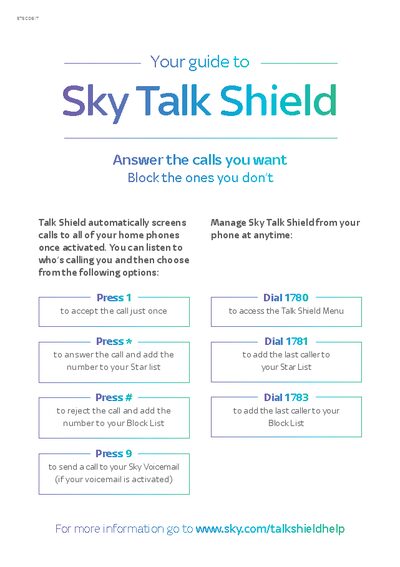
Sky Talk Shield automatically screens calls to all of your home phones once activated. It lets you listen to who is calling and choose to accept, reject, star, or block the call.
You can manage Talk Shield directly from your phone using simple key presses (e.g., Press 1 to accept once, * to star, # to block) or quick‑dial codes (1780 for the menu, 1781 to star the last caller, 1783 to block the last caller). Activation is done online at www.sky.com/talkshield.
| Model number | STSC0617 |
|---|---|
| Activation URL | www.sky.com/talkshield |
Press 1 to accept the call just once.
Press # to reject the call and add the number to your Block List, or dial 1783 to add the last caller to the Block List.
Dial 1780 to access the Talk Shield Menu.
Dial 1781 to add the last caller to your Star List.