
The Gowebrother MPC-325-2 micro‑manipulator user manual explains system components, function settings, and arm hand‑swap procedures for electrophysiology…
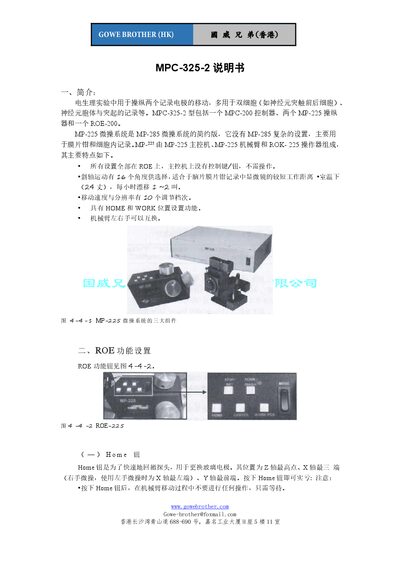
The MPC-325-2 micro‑manipulator system, consisting of an MPC‑200 controller, two MP‑225 manipulators and a ROE‑200 interface, is designed for precise movement of two recording electrodes in electrophysiology studies such as dual‑cell and patch‑clamp recordings. All control functions are accessed via the ROE panel, eliminating the need for buttons on the main controller.
The manual details the operation of the Home, WorkPos, Norm/Diag, Center, and Stop/Set buttons, speed and resolution settings, DIP‑switch configuration, and the procedure for swapping the mechanical arm between left‑hand and right‑hand configurations. It also provides safety notes for emergency stops and guidance on avoiding obstacles during electrode movement. This manual is written in Chinese.
| Axis travel range | 25 mm per axis |
|---|---|
| Drift rate at room temperature | 1–2 µm per hour |
| Speed/resolution steps | 10 levels |
| Number of DIP switches | 8 |
| Number of slanted‑axis angles | 16 angles |
Press the Home button; the probe moves to the highest Z point, the farthest X position (right‑hand side) and the front Y position, ready for electrode replacement.
Move the electrode to the desired spot, then press Stop/Set and WorkPos together, release both; a beep confirms the position is stored. To use it, press Home then WorkPos.