
This document describes the installation and setup of the IBM® Storage Networking SAN18B-6 Access Gateway.
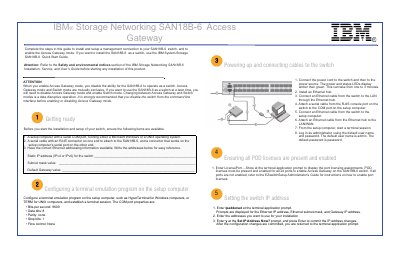
This guide walks you through installing and setting up the IBM SAN18B-6 switch in Access Gateway mode. It covers preparing hardware, configuring terminal emulation, setting IP addresses, changing passwords, and connecting devices. Access Gateway mode disables switch functionality; switching back requires a data-disruptive operation. The guide also explains how to configure zones and device selection for optimal connectivity.
The document includes detailed steps for connecting Ethernet and serial cables, configuring terminal settings (9600 baud, 8 data bits, no parity), and entering administrative credentials (default username: admin, password: password). It also covers setting up POD licenses and assigning IP addresses via the command line. After setup, users can configure Fibre Channel connections using SFP transceivers and verify physical connections on the Device Connection screen.
| Default User Name | admin |
|---|---|
| Default Password | password |
| Terminal Baud Rate | 9600 |
| Data Bits | 8 |
| Parity | none |
| Stop Bits | 1 |
| Flow Control | None |
Enabling Access Gateway mode disables the switch’s ability to operate as a switch. Switch mode and Access Gateway mode are mutually exclusive.
Enter your password in the Set Parameters screen and follow the onscreen prompts to change it. Keep the new password secure.
Use HyperTerminal for Windows or TERM for UNIX computers to establish a terminal session.
Enter the command 'ipadderset' to prompt for Ethernet IP address, subnet mask, and Gateway IP address. Confirm changes by entering 'y' at the prompt.