
IBM Informix Client Software Development Kit (Client SDK) and IBM Informix Connect (IConnect) are collections of components used to develop and run client applications that connect to the following database servers: IBM® Informix® Dynamic Server (IDS), IBM Informix OnLine Server, IBM Informix Standard Engine, and IBM Informix Extended Parallel Server (XPS).
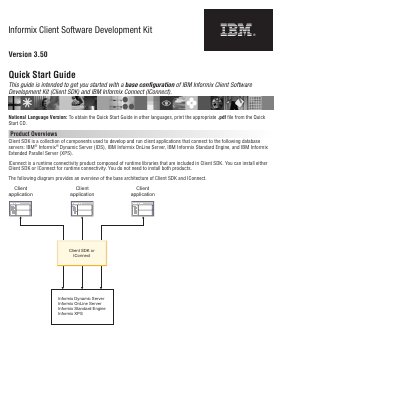
The IBM Informix Client Software Development Kit (Client SDK) is a collection of components used to develop and run client applications that connect to database servers including IBM Informix Dynamic Server (IDS), OnLine Server, Standard Engine, and Extended Parallel Server (XPS).
IBM Informix Connect (IConnect) is a runtime connectivity product composed of runtime libraries included in the Client SDK. Users can install either Client SDK or IConnect for runtime connectivity.
| Version | 3.50 |
|---|
No, you can install either Client SDK or IConnect for runtime connectivity; there is no need to install both.
Use the command 'installclientsdk' to install Client SDK, or 'installconn' to install IConnect.