
IBM® Business Process Manager Advanced - Process Server V7.5 Quick Start Guide This guide gets you started with installing and configuring IBM Business Process Manager. National language version: To obtain the Quick Start Guide in other languages, access the PDF files on the Quick Start CD. Product overview IBM Business Process Manager is a comprehensive and consumable business process management platform that provides visibility and management of business processes. It includes tools and a runtime environment, for process design, execution, monitoring, and optimization. It is specifically designed to enable process owners and business users to engage directly in the improvement of their business processes. Step 1: Access your software and documentation If you download your product from Passport Advantage ®, follow the directions in the download document: http://www.ibm.com/support/docview.wss?uid=swg24029617 This product offering includes: v Quick Start CD v Business Process Manager 7.5 (including IBM Installation Manager 1.4.3, IBM WebSphere ® Application Server 7.0.0.17, and IBM DB2 ® Express Edition version 9.7 (Windows and Linux Intel only)) v IBM WebSphere Application Server Network Deployment V7.0 Supplements (including IBM Update Installer for WebSphere Software, IBM HTTP Server, Web Server Plug-ins, and Application Clients for WebSphere Application Server.) v IBM DB2 Enterprise Server Edition 9.7 v IBM Tivoli ® Directory Server 6.3 v IBM Rational ® Application Deve
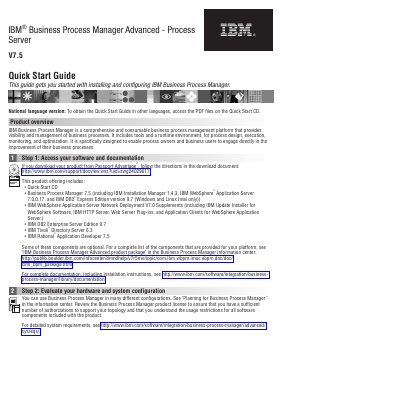
This Quick Start Guide gets you started with installing and configuring IBM Business Process Manager Advanced - Process Server V7.5. It describes the product as a business process management platform that provides visibility and management of business processes, with tools and a runtime environment for process design, execution, monitoring, and optimization.
The guide is organized into three steps: accessing the software and documentation (including the Quick Start CD and Passport Advantage downloads), evaluating hardware and system configuration against the product license and system requirements, and performing a Typical Install that creates a Process Server profile using the DB2 Express database. It also lists the components included in the product offering and links to further technical resources.
| Included database | IBM DB2 Express Edition version 9.7 (Windows and Linux Intel only) |
|---|---|
| Included application server | IBM WebSphere Application Server 7.0.0.17 |
| Included installation tool | IBM Installation Manager 1.4.3 |
| Included directory server | IBM Tivoli Directory Server 6.3 |
| Included development tool | IBM Rational Application Developer 7.5 |
The Typical Install creates a Process Server profile using the DB2 Express database, and can be started from the launchpad by clicking "Install using typical installer".
Choose the "Install using custom installer" option on the launchpad, which launches the IBM Installation Manager for more complex installations.
Yes, translated PDF files of the Quick Start Guide are available on the Quick Start CD.
Yes. If DB2 is already installed you will be prompted to use an existing database, and the existing database option also allows installing with another database type.