
IBM® Tivoli® Monitoring monitors and manages system and network applications on a variety of operating systems, tracks the availability and performance of your enterprise system, and provides reports to track trends and troubleshoot problems.
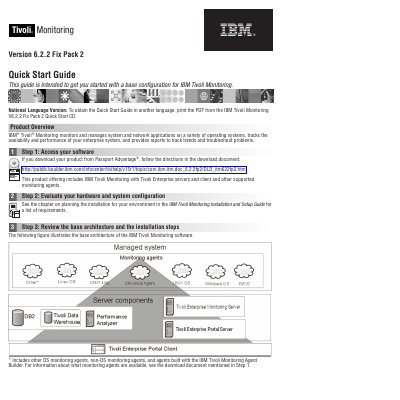
This guide helps users set up a base configuration for IBM Tivoli Monitoring. It covers steps like accessing software, evaluating hardware, installing prerequisites, and configuring monitoring agents. The guide also directs users to additional documentation for full installation and administration details.
The product monitors systems and network applications across operating systems, tracks availability and performance, and provides trend and troubleshooting reports. It includes Tivoli Enterprise servers, clients, and supported monitoring agents.
It monitors and manages system and network applications on a variety of operating systems, tracks the availability and performance of your enterprise system, and provides reports to track trends and troubleshoot problems.
It includes IBM Tivoli Monitoring with Tivoli Enterprise servers and client and other supported monitoring agents.
Insert the IBM Tivoli Monitoring product DVD into the DVD drive, or access the product from Passport Advantage.