
This document describes how to deploy IBM Security Guardium.
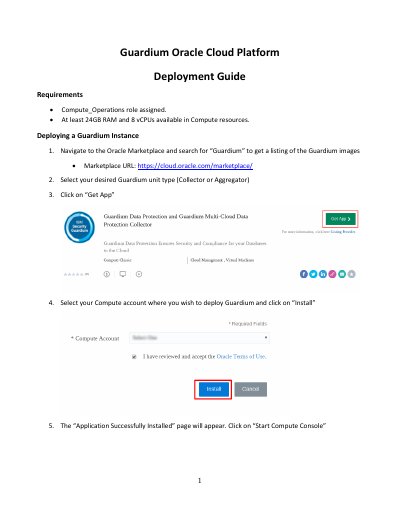
IBM Security Guardium 10.1.x is deployed from the Oracle Marketplace. The guide lists requirements, including the Compute_Operations role and at least 24GB RAM and 8 vCPUs, then walks through selecting a Guardium unit type, configuring the instance, network, and storage, and reviewing the settings.
The document also covers monitoring instance creation, configuring VPN access with TCP ports 8443 and 22 open, connecting to the CLI and web UI, and adding instances to a Security List so Guardium can access a DB server. It lists known CLI limitations for Oracle Cloud and Amazon Cloud.
| Required role | Compute_Operations role |
|---|---|
| Minimum compute resources | At least 24GB RAM and 8 vCPUs |
| Recommended compute resources | At least 24 GB RAM and 4 vCPUs |
| Selected compute shape | oc5 (4 CPUs, 30GB RAM) |
| Required TCP ports for web UI and CLI | 8443 and 22 |
| Version | 10.1.x |
The guide requires at least 24GB RAM and 8 vCPUs available in Compute resources, along with the Compute_Operations role.
TCP ports 8443 and 22 must be accessible to log into the web UI and CLI.
Use PuTTY or SSH to connect to the appliance as user cli; the system will ask you to change the password.
The guide says not to run store network interface reset or store net interface inventory on Oracle Cloud Platform.