
IBM Classification Module is a document classification product that combines rule and keyword analysis with statistical text analysis to accurately classify documents and emails.
IBM Classification Module Version 8.6 is software that uses natural language processing and semantic analysis to determine the intent of unstructured content and then classify documents and e-mail. It combines rule and keyword-based analysis with statistical, text-based analysis, and it incorporates real-time learning through feedback. The product runs as a stand-alone product and also provides an integration with the IBM FileNet P8 platform.
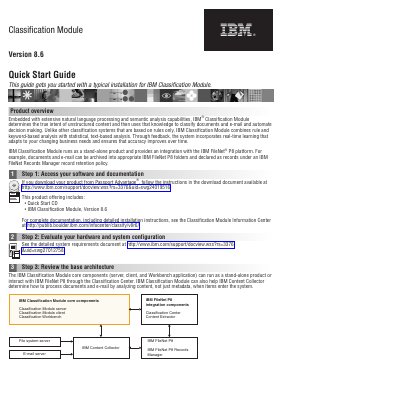
This quick start guide walks through a typical installation in five steps: accessing the software and documentation, evaluating hardware and system configuration, reviewing the base architecture, installing the core components, and optionally installing the integration components for IBM FileNet P8. Installation programs are listed for AIX, Linux, Solaris and Windows, and the guide points to the Classification Module Information Center for complete documentation. The core components are the server, client and Workbench application; the FileNet P8 integration components are Classification Center, Content Extractor, File system server, E-mail server, IBM Content Collector, IBM FileNet P8 Records Manager and IBM FileNet P8.
| Content analysis | Combines rule and keyword-based analysis with statistical, text-based analysis |
|---|---|
| Deployment | Stand-alone product with an integration for IBM FileNet P8 |
| Core components | Server, client and Workbench application |
| Installation programs | icm86_setup_aix.bin, icm86_setup_linux.bin, icm86_setup_sunos.bin, icm86_setup_win32.exe |
| Installation types | Basic or Custom |
| FileNet P8 integration install | Custom installation type with IBM FileNet P8 integration selected |
It determines the true intent of unstructured content and then classifies documents and e-mail and automates decision making.
Yes. It runs as a stand-alone product and also provides an integration with the IBM FileNet P8 platform.
On Windows, run icm86_setup_win32.exe, then select the Basic installation type and follow the installation wizard.
The guide points to the Classification Module Information Center for complete documentation, including detailed installation instructions.