
IBM Security Directory Server is an LDAP server that stores directory information and provides access interfaces.
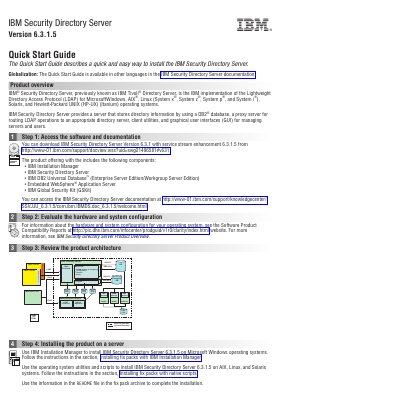
This quick start guide describes a quick and easy way to install IBM Security Directory Server Version 6.3.1.5 with service stream enhancement 6.3.1.5. It opens with a product overview explaining that the product, previously known as IBM Tivoli Directory Server, is the IBM implementation of the Lightweight Directory Access Protocol (LDAP) for Microsoft Windows, AIX, Linux, Solaris and HP-UX (Itanium) operating systems, and that it provides a server storing directory information in a DB2 database, a proxy server, client utilities and graphical user interfaces.
The guide is organized as six numbered steps: accessing the software and documentation, evaluating the hardware and system configuration, reviewing the product architecture, installing the product on a server, installing a database, and getting started after installation. It also lists where to find the documentation, technical support, publications, education, Support Assistant and user communities. The document is 2 pages and carries the document number GI11-9351-02.
| Version | 6.3.1.5 (service stream enhancement 6.3.1.5) |
|---|---|
| Directory protocol | Lightweight Directory Access Protocol (LDAP) |
| Supported operating systems | Microsoft Windows, AIX, Linux (System x, System z, System p, System i), Solaris, HP-UX (Itanium) |
| Directory information storage | DB2 database |
| Included components | IBM Installation Manager, IBM Security Directory Server, IBM DB2 Universal Database, Embedded WebSphere Application Server, IBM Global Security Kit (GSKit) |
It is the IBM implementation of the Lightweight Directory Access Protocol (LDAP) for Windows, AIX, Linux, Solaris and HP-UX (Itanium) operating systems, previously known as IBM Tivoli Directory Server.
The guide points to the IBM support document page at http://www-01.ibm.com/support/docview.wss?uid=swg21496581#v631.
On Windows, use IBM Installation Manager following the section on installing fix packs with IBM Installation Manager; on AIX, Linux and Solaris, use the operating system utilities and scripts following the native scripts section.
After installing IBM Security Directory Server and corequisite software, create a directory server instance.