
IBM Netcool Agile Service Manager provides operations teams with complete up-to-date visibility and control over dynamic infrastructure and services.
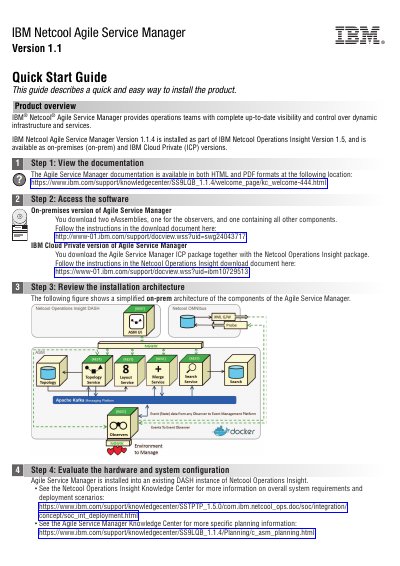
This guide provides step-by-step instructions for installing IBM Netcool Agile Service Manager Version 1.1. It covers downloading components, evaluating hardware, installing core and observer parts, configuring roles and observers, and accessing the UI. The product integrates with IBM Netcool Operations Insight and is available for on-premises or IBM Cloud Private deployment.
Installation steps include downloading eAssemblies, preparing the environment, installing components via IBM Installation Manager or command line, configuring DASH user roles, and setting up observers using the Observer Configuration UI.
It is available as on-premises (on-prem) and IBM Cloud Private (ICP) versions.
It is installed into an existing DASH instance of Netcool Operations Insight.
One is for the observers, and one contains all other components.
You use it to visualize your topology data live, or in historical context.