
IBM Tivoli Monitoring for Virtual Environments V7.2 Fix Pack 2 Quick Start Guide
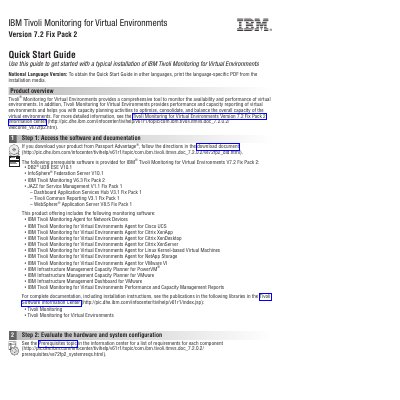
This Quick Start Guide helps you get started with a typical installation of IBM Tivoli Monitoring for Virtual Environments Version 7.2 Fix Pack 2. The product monitors the availability and performance of virtual environments and provides performance and capacity reporting to support capacity planning activities.
The guide lists the prerequisite software (including DB2 UDB ESE V10.1, IBM Tivoli Monitoring V6.3 Fix Pack 2, and JAZZ for Service Management V1.1 Fix Pack 1), describes the included monitoring agents for platforms such as Cisco UCS, Citrix XenServer, VMware VI, and NetApp Storage, and walks through five steps: accessing the software, evaluating hardware, reviewing the installation architecture, installing prerequisite software, and installing, configuring, and starting the product.
The prerequisites include DB2 UDB ESE V10.1, InfoSphere Federation Server V10.1, IBM Tivoli Monitoring V6.3 Fix Pack 2, and JAZZ for Service Management V1.1 Fix Pack 1 with its components.
The offering includes agents for Cisco UCS, Citrix XenApp, XenDesktop, and XenServer, Linux Kernel-based Virtual Machines, NetApp Storage, and VMware VI, plus Network Devices monitoring and capacity planners for PowerVM and VMware.
Print the language-specific PDF from the installation media.