
A guide to setting up and operating a Dell computer, including safety instructions, a list of features, and setup steps.
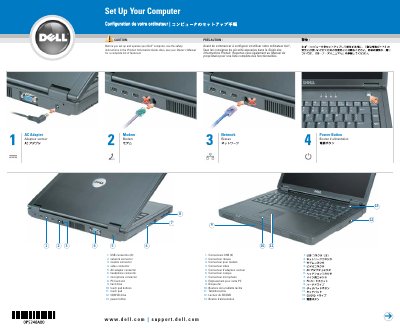
The Dell Inspiron Computer Setup Guide provides a visual and instructional overview for initializing the computer. It identifies key hardware components including USB, network, and video connectors, as well as the CD/DVD drive and touch pad.
The document includes essential instructions for battery charging and removal, as well as a method for forcing a shutdown if the system locks up.
The battery should be charged for 3 hours.
Press the power button for 8 to 10 seconds to turn off the computer.