
Inspiron 11 3000 Series Notebook Quick Start Guide.
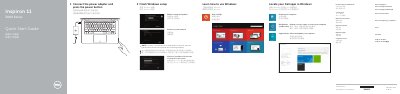
This Dell Quick Start Guide for the Inspiron 11 3000 Series (Inspiron 11-3152) notebook explains the initial Windows setup steps. It covers connecting the power adapter, pressing the power button, enabling security and updates, connecting to a network, signing in to a Microsoft account or creating a local account, and locating Dell apps.
The guide also lists notebook features and shortcut keys, and describes Notebook, Tablet, Tent, and Stand modes. Support, contact, and regulatory links are included, and the document notes that detailed specifications are available at dell.com/support.
| Regulatory model | P20T |
|---|---|
| Regulatory type | P20T003 |
| Computer model | Inspiron 11-3152 |
| HDMI port | Included |
| USB 3.0 port with PowerShare | Included |
| USB 2.0 port | Included |
| Media-card reader | Included |
| Security-cable slot | Included |
| Volume-control buttons | 2 |
The guide covers the Inspiron 11 3000 Series.
Connect the power adapter and press the power button.
Enter the password for the wireless network access when prompted.
See Specifications at dell.com/support.