
The 7130cdn Professional Color Printer is a high-performance, multi-function printer that can print, scan, copy, and fax. It features:
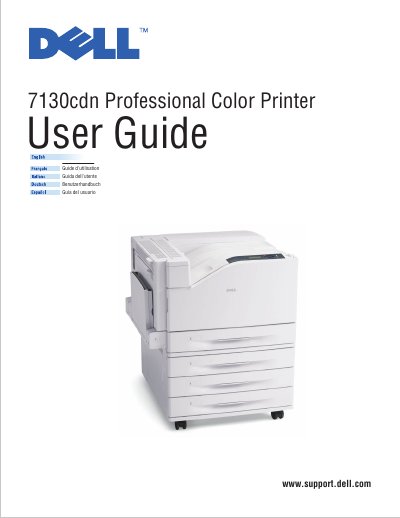
This user guide provides step-by-step instructions for setting up and operating the Dell 7130cdn Professional Color Printer. It covers network configuration, printing options, maintenance, and troubleshooting common issues. The guide includes detailed specifications for physical dimensions, environmental requirements, and performance metrics.
The printer supports various media types and offers features such as duplex printing, USB and Ethernet connectivity, and high-resolution output. Maintenance sections detail cleaning procedures and consumable ordering. Troubleshooting guides address issues like paper jams, print quality problems, and power-related errors.
| Print Speed | 35 pages per minute (ppm) for monochrome and color |
|---|---|
| Processor | 1 GHz |
| Resolution | 1200 x 600 dpi (Standard Mode), 1200 x 1200 dpi (Enhanced Mode), 1200 x 1200 dpi (Photo Mode) |
| Memory | 512 MB RAM, expandable to 2 GB |
| Interfaces | USB and Ethernet 10/100/1000Base-TX |
| Paper Weight | Up to 280 gsm |
| Base Unit Width | 640 mm (25.2 in.) |
| Base Unit Height | 399 mm (15.7 in.) |
| Base Unit Weight | 66 kg (145.2 lb.) |
| Operating Temperature | 10° to 32° C / 50° to 90° F |
| Operating Humidity | 10% to 85% (non-condensing) |
The maximum print speed is 35 pages per minute (ppm) for both monochrome and color printing on letter-size plain paper.
The printer supports USB and Ethernet 10/100/1000Base-TX connections.
The base unit weighs 66 kg (145.2 lb.).
The operating temperature range is 10° to 32° C (50° to 90° F).