
Dell EMC PowerEdge R6415 Server Getting Started Guide

Dell EMC PowerEdge R6415 Server Getting Started Guide.
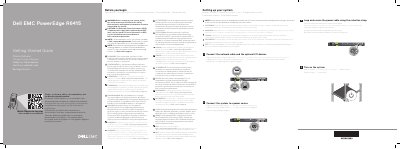

Dell EMC PowerEdge R6415 Server Getting Started Guide - cover page
Brand
DELL
Category
Servers Computer
Document type
Quick Start Guide
Language
English
Pages
2
File format
PDF
File size
245 KB
Published
24 November, 2023
Updated
24 November, 2023
MD5 checksum
6D2B3F414192A85569ED6464364C04DD

About this manual

This guide provides setup instructions for the Dell EMC PowerEdge R6415 server. It covers connecting the network cable and optional I/O devices, connecting the system to a power source, securing the power cable, and turning on the system.

It also includes safety warnings, a requirement to use EPP-compliant power supply units, and references to the Installation and Service Manual and supported operating systems on Dell.com.

What's inside

  • Before you begin
  • Setting up your system
  • Connect the network cable and the optional I/O devices
  • Connect the system to a power source
  • Loop and secure the power cable using the retention strap
  • Turn on the system
  • Quick Resource Locator

Specifications

Power supply requirementExtended Power Performance (EPP) compliant

Frequently asked questions

Where is the documentation set for the system available?

It is available at Dell.com/poweredgemanuals.

What must be installed before adding hardware or software not purchased with the system?

The operating system must be installed first.

Where can I find information about supported operating systems?

See Dell.com/ossupport for more information.

What should I do before setting up the system?

Follow the safety instructions included with the system.

Download PDF (245 KB)

More DELL Manuals


View all DELL manuals →