
The Dell Latitude 13 7000 Series Notebook Quick Start Guide.
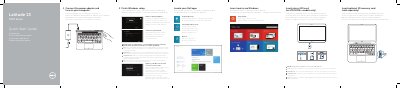
This multilingual quick start guide walks users through the first steps with the Dell Latitude 13 7000 Series notebook: connecting the power adapter, completing Windows setup, inserting optional SD or micro‑SIM cards, registering the device, locating Dell applications, enabling security updates, and connecting to a network. It also explains how to sign in with a Microsoft account or create a local account.
The guide includes a detailed diagram of the notebook’s ports and components (USB 3.0, Mini‑DisplayPort, Noble security‑cable slot, NFC reader, SD card reader, fingerprint reader, cameras, etc.), regulatory information (model P58G, type P58G001), and links to Dell support, manuals, and contact pages.
Connect the power adapter, press the power button, and follow the Windows setup prompts.
The micro‑SIM slot is accessible only after undocking the computer from its docking station.
Visit dell.com/support or dell.com/support/manuals for drivers, manuals, and support.