
Dell WK415 Bluetooth Keyboard Folio Quick Start Guide

Dell Bluetooth Keyboard Folio WK415 Quick Start Guide
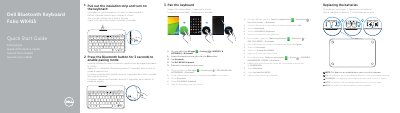

Dell WK415 Bluetooth Keyboard Folio Quick Start Guide - cover page
Brand
DELL
Category
Other Computer Accessories
Document type
User Manual
Language
English
Pages
2
File format
PDF
File size
279 KB
Published
24 November, 2023
Updated
24 November, 2023
Model
WK415
MD5 checksum
80C1B512E53B6B3EBB02BBC10642E0A2

About this manual

This guide provides quick start instructions for the Dell WK415 Bluetooth Keyboard Folio. It covers how to turn on the device, pair it with a tablet via Bluetooth, and replace the batteries, noting that batteries are pre-installed upon receipt. The document includes multi-language instructions (English, Dutch, French, Portuguese, Spanish).

What's inside

  • Pair the keyboard
  • Replacing the batteries
  • Action menu
  • Shortcut Keys
  • Features

Specifications

Document LanguageEnglish, Dutch, French, Portuguese, Spanish

Frequently asked questions

Are batteries included with the keyboard?

Yes, the batteries are installed when you receive the keyboard.

How do I enable pairing mode?

Press the Bluetooth button for 3 seconds to enable pairing mode.

Download PDF (279 KB)

More DELL Manuals


View all DELL manuals →