
Dell Latitude 7389 Quick Start Guide

Dell Latitude 7389 Quick Start Guide
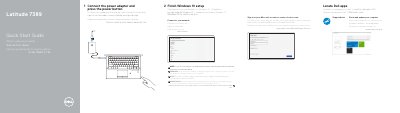

Dell Latitude 7389 Quick Start Guide - cover page
Brand
DELL
Category
Laptops
Document type
Quick Start Guide
Language
MUL
Pages
2
File format
PDF
File size
342 KB
Published
22 November, 2023
Updated
22 November, 2023
MD5 checksum
99B1AABE6701C8CA168239D38568CA73

About this manual

This quick start guide is for the Dell Latitude 7389. It lists steps to connect the power adapter, finish Windows 10 setup, connect to a network, sign in to a Microsoft account or create a local account, locate Dell apps, and check and update the computer.

It also includes a numbered features diagram, product support and manual links, and regulatory information. The guide is printed in English, Greek, Portuguese, Russian, and Hebrew.

What's inside

  • Connect the power adapter and press the power button
  • Finish Windows 10 setup
  • Connect to your network
  • Sign in to your Microsoft account or create a local account
  • Locate Dell apps
  • SupportAssist
  • Check and update your computer
  • Features
  • Product support and manuals
  • Regulatory and safety

Frequently asked questions

How do I start setting up the Dell Latitude 7389?

Connect the power adapter and press the power button.

What should I do after connecting to a network?

Sign in to your Microsoft account or create a local account, then locate Dell apps and check and update the computer.

Do the features vary by configuration?

Yes, the features may vary depending on the configuration you ordered.

Download PDF (342 KB)

More DELL Manuals


View all DELL manuals →