
F6 2G FLIP PHONE LOGIC QUICK GUIDE. Get to know your Logic. Copy files from your computer to your Logic. Install SIM card /memory card. Connect your Logic phone to a computer with a USB Cable (cable not included).
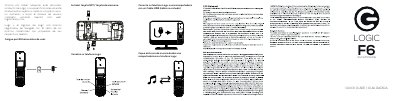
This quick guide for the Logic F6 2G flip phone covers initial charging, SIM and memory card installation, USB connection to a computer, copying files, and getting to know the phone.
It states that the phone should be charged for 24 hours before first use and that a USB cable is not included.
| Initial charge before first use | 24 hours |
|---|---|
| USB cable included | No |
| Network | 2G |
Charge the phone for 24 hours before using it.
No, a USB cable is not included.
Connect the phone to a computer with a USB cable, then copy files from the computer to the phone.
It covers installing the SIM card and memory card.