
This document is a user guide for the Dell laptop docking station, which introduces the various components of the docking station and how to use it.
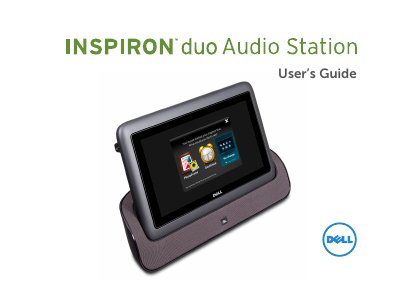
This User's Guide covers the Dell Inspiron duo Audio Station (regulatory model K08A), a dock that expands the functionality of the Inspiron duo tablet. The dock adds speakers, a 7-in-1 Media Card Reader, two USB 2.0 connectors, a wired network connector, and an audio-out/headphone connector, and the duo Station interface launches as soon as the tablet is docked.
The guide describes front and back view features, how to dock and undock the tablet, how to use the dock, how to connect an optional network cable, and how to use the media card reader. It also covers solving power, network, and duo Station problems, and lists the dock's full specifications.
| Speakers | 2 x 7 Watt main speakers + 7 Watt subwoofer |
|---|---|
| Audio connector | one audio-out/headphone connector |
| Network adapter | one RJ45 connector |
| USB | two 4-pin USB 2.0-compliant connectors |
| Media Card Reader | one 7-in-1 slot |
| Media Card Reader cards supported | Secure Digital (SD), Secure Digital High Capacity (SDHC), Secure Digital Extended Capacity (SDXC), Multimedia Card plus (MMC+), Memory Stick, Memory Stick PRO, xD-Picture Card |
| AC adapter input voltage | 100-240 VAC |
| AC adapter output power | 65 W |
| Rated output voltage | 19.5 VDC |
| Physical dimensions | Height 110.44 mm, Width 330.27 mm, Depth 98.00 mm |
| Weight | 1.13 kg (2.49 lb) |
It expands the functionality of your tablet, letting you play music through the speakers, view pictures, videos, and documents from a memory card, connect to a wired network and USB devices, and attach headphones or a sound system.
The 7-in-1 reader supports Secure Digital (SD), SDHC, SDXC, Multimedia Card plus (MMC+), Memory Stick, Memory Stick PRO, and xD-Picture Card.
The interface may be corrupt or have missing files; launch it manually via Start, All Programs, Dell, duo Station, or reinstall it from support.dell.com or DownloadStore.dell.com.