
This document provides detailed information about Dell computers, including their features, advanced options, sales, technical support, and customer service information.
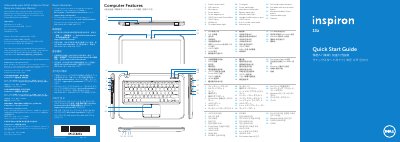
This document serves as a Quick Start Guide for the Dell Inspiron 5323 laptop. It provides a visual overview of the computer's features, including ports, buttons, and indicator lights, with labels in multiple languages. The guide also lists technical specifications such as input voltage and current found on the regulatory label. This manual is written in Chinese.
| Input Voltage | 100 to 240 VCA |
|---|---|
| Input Current (Max) | 1.50 A/1.60 A/1.70 A |
| Input Frequency | 50 to 60 Hz |
| Regulatory Model | P31G |
Do not use the @ symbol in your password.
The maximum input current is 1.70 A.
The laptop supports an input voltage of 100 to 240 VCA.
The required input frequency is from 50 to 60 Hz.