
The Dell Vostro 5471 Quick Start Guide provides information on unpacking, setting up, and using the Dell Vostro 5471 laptop.
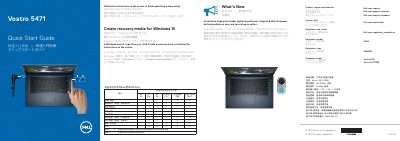
Dell Vostro 5471 Quick Start Guide is a short multilingual guide for the Dell Vostro 5471 notebook. It instructs users to follow on-screen prompts to complete operating system setup and describes an optional fingerprint reader integrated with the power button.
Additional sections list product features and ports, explain how to create Windows 10 recovery media, provide Dell support and contact links, and include regulatory, safety, and Taiwan RoHS information. This manual is written in Chinese.
| Regulatory model | P88G |
|---|---|
| Regulatory type | P88G001 |
| Rated voltage | 100-240 Vac |
| Rated frequency | 50/60 Hz |
| Rated input current | 1.3 A / 1.6 A / 1.7 A |
Follow the instructions on the screen.
In Windows search, type Recovery, click Create a recovery drive, and follow the instructions on the screen.
An intuitive fingerprint reader integrated with the power button is available as an optional purchase.
Visit Dell.com/support and Dell.com/support/manuals.