
Vensi smart socket adopts ZigBee wireless communication protocol. With Vensi smart gateway, it can realize remote control, timing control and linkage with other smart devices, making ordinary electrical appliances become smart devices in an instant.
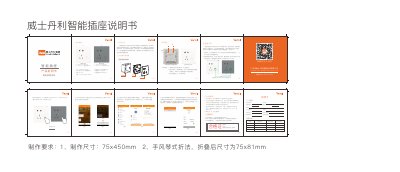
Vensi smart socket is a ZigBee wireless smart socket that works with a Vensi smart gateway and the Vensi app for remote control, timer control, and linkage with other smart devices. The listed models are C-1B1204-24 (iron gray), C-1B604-24 (iron gray with USB), C-1B1204-94 (starry white), and C-1B604-94 (starry white with USB).
The manual provides technical parameters, installation and wiring steps, app setup steps, precautions, and warranty/service information. It specifies an 86 x 86 x 35 mm housing, ABS+PC flame-retardant material, 10 A output, AC 90-240 V 50 Hz input, ZigBee protocol, and 250 Kbps communication rate. This manual is written in Chinese.
| Dimensions | 86 x 86 x 35 mm |
|---|---|
| Power supply | Live and neutral wires |
| Material | ABS+PC flame-retardant material |
| Communication protocol | Zigbee |
| Output | 10 A |
| Communication rate | 250 Kbps |
| Input | AC 90-240 V, 50 Hz |
Power on the socket and long-press the button until the red light flashes to enter the network; then add the device in the Vensi app.
The models are C-1B1204-24 (iron gray), C-1B604-24 (iron gray with USB), C-1B1204-94 (starry white), and C-1B604-94 (starry white with USB).
It should be installed in a dry, clean place, and the manual should be read before first use.
A bound device cannot be bound by another account; it must be unbound before another account can add it.