
King-On Wi-Fi CMM User Manual v3.2 1 Charging Wireless Management Module Operation Manual King-On CMM(Charging Management Module) helps users to connect to King-On CMM wirelessly via a laptop, mobile phone or tablet, and monitor, manage and operate King-On's charging station series products on the user's wireless device with a browser. Each CMM can manage up to 4 charging stations (Charging Station) connected in series with RS-485, and monitor and manage each charging port of each station.
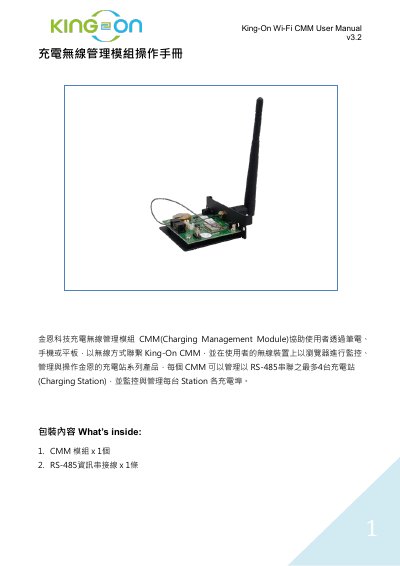
This manual describes the King-On Wi-Fi CMM (Charging Management Module), which lets users monitor and manage King-On charging stations wirelessly from a laptop, phone, or tablet. Each CMM can manage up to four charging stations connected by RS-485.
It covers package contents, hardware installation and ID setting, connecting to the CMM Wi-Fi and web interface, port status and controls, Setup, Schedule, WiFi, Clock, and troubleshooting. This manual is written in Chinese.
| Maximum managed charging stations | 4 |
|---|---|
| Default Wi-Fi SSID | Kingon_AP_xxxx (last 4 digits of CMM MAC address) |
| Default Wi-Fi and web password | 12345678 |
| Default web login | admin / 12345678 |
| CMM management URL | http://192.168.3.2 |
| Minimum password length | 8 characters |
| Wi-Fi connection time | about 30-40 seconds |
Press and hold the CMM Reset button for 3 seconds to restore factory defaults; the default name is Kingon_AP_xxxx, the password is 12345678, and the web login is admin/12345678.
Check through the CMM interface whether the schedule is set to not charge during that period.
Check whether the OLED panel Schedule switch is On and whether the CMM time is correct; if the time is wrong, correct it through Clock.
One CMM can manage up to four King-On standard charging systems connected by RS-485.