
This document describes the Retrofit Assessment Tool - Access Control Operators Manual from SURE-FI, INC. The tool can be used to assess the performance of access control systems.
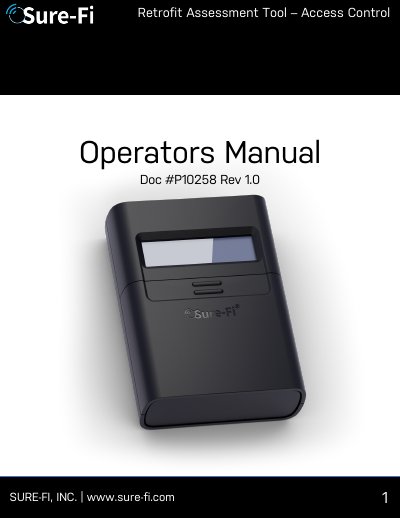
The Sure-Fi RAT-ACCESS-0100 is a handheld, battery-powered Wiegand data and relay tester. It displays Wiegand D0/D1 signal data and voltage levels from a Wiegand device, outputs Wiegand data to test Wiegand inputs, and tests relay functionality.
The manual covers powering on, checking Wiegand output and input, testing relay contacts, connector pinout and wiring, and using the Sure-Fi App over Bluetooth for registration, configuration, diagnostics, and firmware updates.
| Operating Temperature | -40°F to +158°F (-40°C to +70°C) |
|---|---|
| Storage Temperature | -67°F to +257°F (-55°C to +125°C) |
| Humidity | 0 to 85% non-condensing |
| Dimensions (L x W x H) | 3.54” x 4.23” x 1.28” (90mm x 107mm x 32.5mm) |
| Power | Four AA batteries |
| Interface connector P1 | 10-position, 3.5mm EURO type |
| Mating plug | Molex pn 39500-0010 |
| Wire range | 16 to 30AWG stranded or solid |
| Wire strip length | 0.250” |
| Recommended screwdriver | slotted blade 0.98” (2.5mm) width |
Momentarily press the push-button; the startup screen appears for several seconds before changing to the Wiegand test screen.
Connect to it with the Sure-Fi App, then select ‘Register Device’; registration only needs to be done once.
No; it can only test relay functionality in a dry contact configuration, and applying voltage to R NO, R COM, or R NC may cause permanent damage.
Connect D0-IN, D1-IN, and GND to the device, power the device, turn on the tool, present a credential, and view the Wiegand information on the LCD screen.