
This document describes the features and benefits of the Swift-Cut Swifty CNC system.
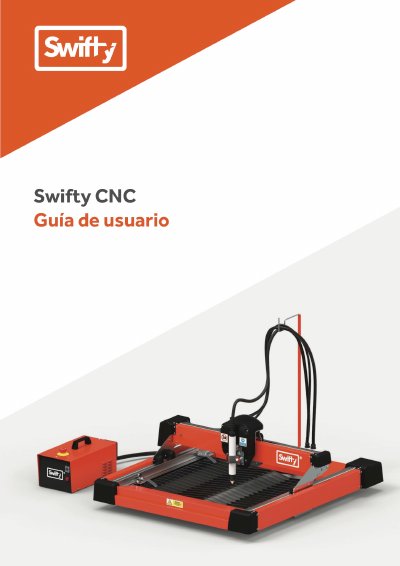
Swifty CNC is a versatile desktop plasma CNC cutting table from Swift-Cut, intended for schools, artists and small workshops. The manual is a user guide for daily use of the Swifty CNC system.
It covers safety and environmental considerations, machine specifications, assembly and software setup, SwiftyCAM and SwiftyCNC operation, cutting procedures, maintenance and troubleshooting. This manual is written in Spanish.
| Table dimensions | 1130 x 980 x 460 mm |
|---|---|
| Table weight | 75 kg |
| Cutting area | 620 x 620 mm |
| Water volume | 30 litres |
| Power requirements | 7 A, 230 V (±15%) or 10 A, 110 V (±15%) |
| Minimum operating system | Windows 7, Windows 8, Windows 10 (32 and 64-bit) |
| Minimum RAM | 4 GB |
| Minimum graphics | 256 MB graphics card |
| Minimum processor | I5 or higher |
| Required ports | Ethernet port and two USB ports |
| Recommended air supply | ISO 8573-1 class 1.2.2 filtration system |
| Supporting surface capacity | 110 kg |
It can cut soft metals, stainless steel, aluminum, brass, copper, and ferrous or non-ferrous materials.
Windows 7, Windows 8 and Windows 10 in 32-bit and 64-bit versions.
The cutting area is 620 x 620 mm.
Clean debris from the V-rails regularly.