
Arbor Parent Portal Quick Guide The guide introduces the features of Arbor Parent Portal, including Dashboard, Profile, Calendar, Attendance, Behaviour and Progress.
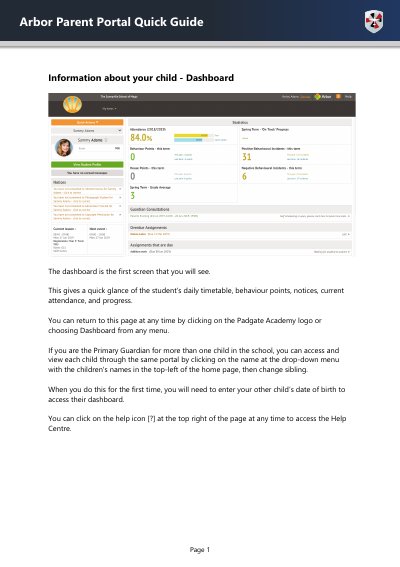
This document serves as a quick guide for parents using the Arbor Parent Portal. It explains how to navigate the dashboard to view a student's daily timetable, behavior points, notices, current attendance, and progress. The guide also covers accessing the Help Centre and managing profiles for multiple children.
You can access and view each child by clicking on the name at the drop-down menu with the children's names in the top-left of the home page, then change sibling.
The dashboard provides a quick glance of the student's daily timetable, behaviour points, notices, current attendance, and progress.
You can access and view each child by clicking on the name at the drop-down menu with the children's names in the top-left of the home page, then change sibling.
When accessing a child's dashboard for the first time, you will need to enter your other child's date of birth.