
LUNA 6 is a portable electronic magnifier with the following features:
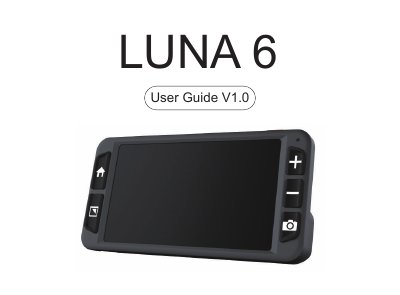
The ZOOMAX LUNA 6 User Guide explains setup and daily use of the handheld video magnifier. It covers charging, basic controls, color modes, freeze and image saving, menus, settings, file transfer, TV connection, troubleshooting, and technical specifications.
Safety and maintenance instructions are included, along with a list of package contents and solutions for common problems such as a black screen or dark image.
| Magnification | 2.5X - 19X |
|---|---|
| Screen | 5.5-inch screen |
| Screen resolution | 1280 x 720 |
| Camera | 13M P |
| Focus | Auto focus; refocus by short pressing the Mode button and Freeze button simultaneously |
| Color modes | Full color and 10 high contrast color modes |
| Weight (LUNA 6) | 210 g / 0.46 lb |
| Weight (wireless charger) | 92 g / 0.21 lb |
| Dimensions | 160 x 80 x 11 mm / 6.3 x 3.1 x 0.4 in |
| Battery life | More than 4 hours continuous use |
| Wired charging time | Less than 3 hours |
| Wireless charging time | About 4 hours |
| Power adapter | Input: 100-2 40V; output: 5V / 2.5A |
The package includes the LUNA 6, user guide, carrying case, power adapter, USB-C cable, HDMI cable, cleaning cloth, and wireless charger.
Press the Power button for 10 seconds to force a system shutdown.
Ensure that the power is on, charge the battery, or decrease the magnification level or change the color mode.
Always unplug it first, then use a cleaning cloth or a soft damp cloth; do not use cleaning agents or abrasive material.
Use the LUNA 6 in environments where the temperature is between 10 C and 40 C.