
Universal Electronics MXV4 IR Remote Control User Guide

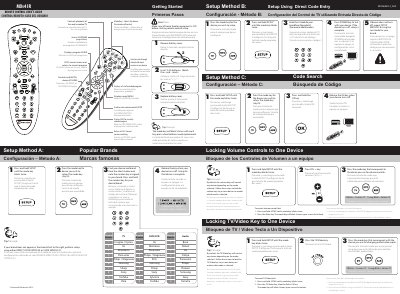
Universal remote control user guide, introduces how to use and set up the remote control.

Universal Electronics MXV4 IR Remote Control User Guide - cover page
Brand
Universal Electronics
Category
Other Electronics
Document type
User Manual
Language
Spanish
Pages
2
File format
PDF
File size
525 KB
Published
16 November, 2023
Updated
16 November, 2023
MD5 checksum
E06E46E9A4A1ED04D87E509D95699627

About this manual

This guide explains how to set up the Universal Electronics MXV4 IR remote control for TV, DVD/VCR, and audio devices using popular-brand, direct code entry, or code search methods. It also describes button functions such as menu, guide, volume, mute, input selection, and on-demand access.

Additional instructions cover locking volume or TV/video controls to one device, canceling those locks, and replacing the two AA batteries. Blink patterns indicate whether setup was successful or failed. This manual is written in Spanish.

What's inside

  • Getting Started
  • Setup Method A: Popular Brands
  • Setup Method B: Direct Code Entry
  • Setup Method C: Code Search
  • Locking Volume Controls to One Device
  • Locking TV/Video Key to One Device

Specifications

Batteries2 AA

Frequently asked questions

How many batteries does the remote control use?

It uses two AA batteries.

What does two blinks mean during setup?

Two blinks indicate a successful setup.

What does one long blink mean during setup?

One long blink indicates a failed setup.

When should the batteries be replaced?

Replace them when the mode key blinks five times with each key press.

Download PDF (525 KB)

More Universal Electronics Manuals


View all Universal Electronics manuals →