
The ZQWL-EthRS-Q24U is a 24-port serial server that supports RS485/RS232/RS422.
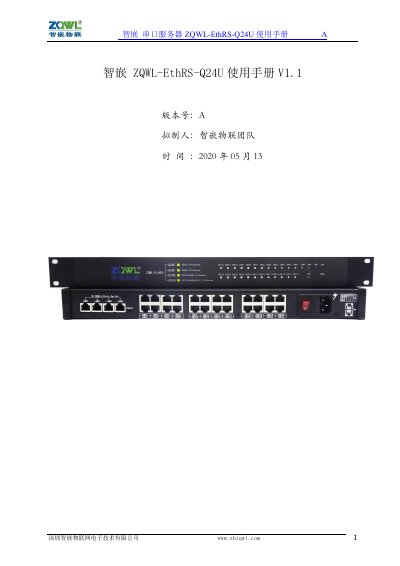
The Zhiqian ZQWL-EthRS-Q24U is a 24-port serial server in which each port supports RS232, RS485, and RS422 modes. It provides four adaptive Ethernet ports with switch functionality and can convert data between serial ports and Ethernet.
This manual explains quick start, hardware preparation, transparent transmission testing, hardware and network features, hardware interfaces, parameter configuration through software or web pages, TCP/UDP operating modes, Modbus TCP to RTU conversion, and common troubleshooting. This manual is written in Chinese.
| Power supply | AC 110/220 V |
|---|---|
| Processor | ARM9 high-performance processor, Linux system |
| Ethernet interfaces | 4 adaptive 10/100 M Ethernet interfaces with 2 kV electromagnetic isolation |
| Serial ports | 24 independent RS485/RS232/RS422 ports with ESD protection |
| Baud rate, ports 1-8 | 600 to 1024000 |
| Baud rate, ports 9-24 | 600 to 115200 |
| Operating temperature | -40 to 85 C |
| Humidity range | 5 to 95% relative humidity |
| Installation size | 19-inch 1U rack, 480 mm x 186 mm x 44 mm |
| Default IP address | 192.168.1.253 |
The default username is admin and the default password is admin.
Press and hold the RESET button for more than 5 seconds.
In TCP server mode, each serial port supports 4 client connections.
Check that the network cable is connected and that the correct network adapter is selected in the configuration software.