
Firmware burning operation manual for Xinwei Vision RK scheme
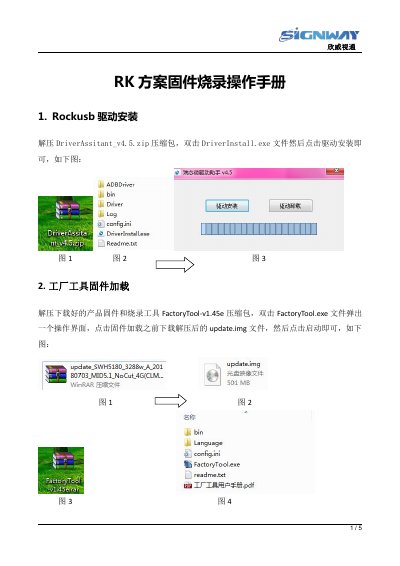
This manual provides step-by-step instructions for burning firmware onto Xinwei Vision RK scheme players. It covers the installation of the Rockusb driver, loading the factory tool with the firmware image, and the general process of connecting the mainboard to a computer for the update. This manual is written in Chinese.
A TYPE-C data cable is required for the EP60 player.
The EP60 player requires a TYPE-C data cable for the burning process.
The USBOTG port on the EP28 player is marked with the USB1 silkscreen.