
DENT Instruments RoCoil CT Connection Guide

This document provides instructions on how to connect a RoCoil™ CT to a load.
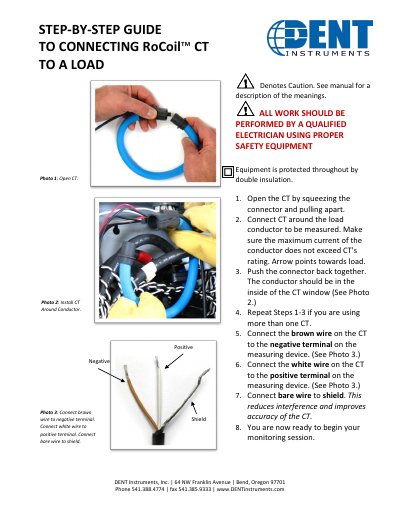

DENT Instruments RoCoil CT Connection Guide - cover page
Brand
DENT Instruments
Category
Other Electronics
Document type
User Manual
Language
English
Pages
1
File format
PDF
File size
517 KB
Published
16 November, 2023
Updated
16 November, 2023
MD5 checksum
8E210B8C03029DAF56D808CA3FFD4AF5

About this manual

This guide provides step-by-step instructions for connecting the RoCoil CT to a load conductor. It details how to open the connector, install it around the conductor ensuring the arrow points towards the load, and secure the connection. The guide also covers connecting the brown wire to the negative terminal, the white wire to the positive terminal, and attaching the bare wire to the shield to reduce interference.

What's inside

  • Connecting CT to Load
  • Wiring to Measuring Device
  • Shield Connection
  • Safety Precautions
Download PDF (517 KB)

More DENT Instruments Manuals


View all DENT Instruments manuals →