
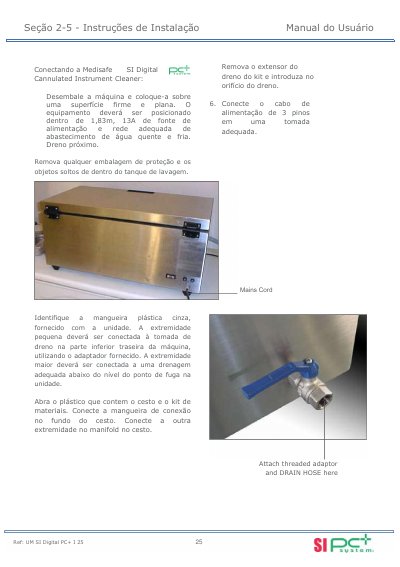
This document describes how to connect the Medisafe SI Digital Cannulated Instrument Cleaner and printer.
Medisafe Sonic Irrigator Digital PC+ is an ultrasonic cleaning unit for cannulated and non-cannulated instruments, with pulsating CPE pumping, heating, and a timer. This manual covers installation, printer and data-logging PC connections, operation, error troubleshooting, and service records.
The unit is offered in 220 V and 127 V variants and has a 25-liter tank, 2 kg instrument capacity, and 35 kHz ultrasonic frequency. It also lists accessories and recommends service every three months. This manual is written in Portuguese.
| Ultrasonic frequency | 35 kHz |
|---|---|
| Tank capacity | 25 liters |
| Instrument load capacity | 2 kg |
| Power supply (220 V variant) | 220 Volts, 50/60 Hz |
| Power supply (127 V variant) | 127 Volts, 50/60 Hz |
| Water quality requirement | Below 5 mg/liter (5 ppm) CaCO3 |
| Recommended service interval | 3 months |
Make sure the lid is properly equipped with the magnet and that the machine is loaded with instruments that do not hinder door closure.
Medisafe recommends service every 3 months.
Water quality should be below 5 mg/liter (5 ppm) CaCO3.
Check that the unit is in operational mode, check the Flush Status printout, and call a technician.