
This document describes how to connect an iPhone to the POLI network.
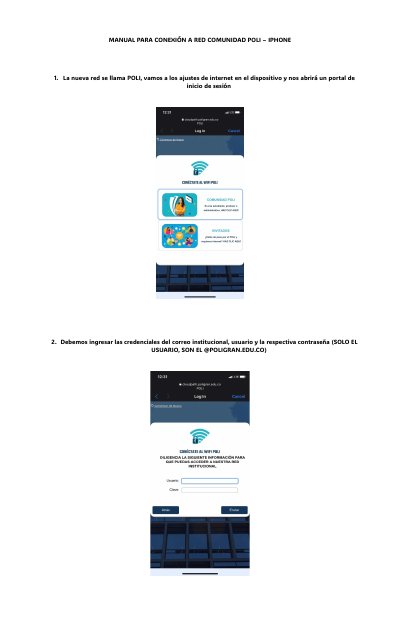
MANUAL PARA CONEXIÓN A RED COMUNIDAD POLI – IPHONE is a short three-page Spanish guide for iPhone users of the POLI campus network. It walks through joining the network named POLI, signing in on the portal that opens on the device, and ending with normal browsing access.
Sign-in uses the institutional email credentials, but only the username part, without the @POLIGRAN.EDU.CO domain. The guide states that the login process takes about 30 to 45 seconds and that no additional actions are needed after it completes. This manual is written in Spanish.
The new network is called POLI. Selecting it on the device opens a login portal.
Your institutional email username and password, using only the username without the @POLIGRAN.EDU.CO part.
About 30 to 45 seconds, after which no additional actions are required.