
This document describes how to use a microwave oven.
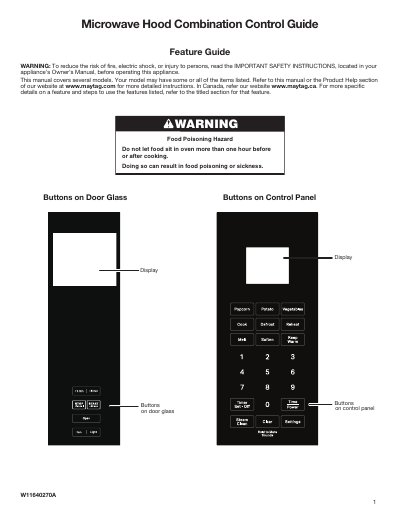
This control guide covers the Maytag microwave hood combination and explains how to use its door glass and control panel buttons, display icons, and keypad features. It applies to several models, so some features may not be present on every unit.
The guide describes settings for clock, sound, scrolling speed, language, filter reset, demo mode, and factory reset. It also covers manual cooking, sensor cooking options such as popcorn and potato, defrost, reheat, melt, soften, keep warm, kitchen timer, mute sounds, and steam clean cavity cleaning.
| Maximum manual cooking time | 90 minutes |
|---|---|
| Cooking power level range | 10% to 100% |
| Kitchen timer maximum | 99:59 |
| Clock format | 12-hour (1:00-11:59) |
| Popcorn sensor weight range | 3.0-3.5 oz |
Press Settings repeatedly to reach the Clock submenu, enter HH:MM with the number keypad, then press Settings, close the door, or wait about five seconds to save.
Press and hold the Clear/Hold button for around three seconds to disable all tones and sounds; the mute icon will appear on the screen.
Pressing the Vent Fan button repeatedly cycles the setting among OFF, HIGH, MEDIUM, LOW, and back to OFF.
Touch Steam Clean, place one cup of water in a microwave-safe dish in the middle of the cavity bottom, close the door, and press Start.