
The Kingston Pound is a community currency that can be used in businesses in Kingston. To use the Kingston Pound, you need to create an account and download the app. You can find all the businesses listed in the app.
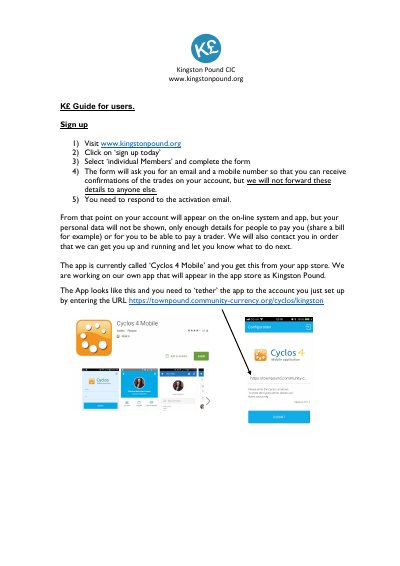
This Kingston Pound CIC document is a guide for users of the K£ local currency. It explains how to sign up at www.kingstonpound.org by selecting 'individual Members', completing the form with an email and mobile number, and responding to the activation email so the account appears on the online system and app. It then describes installing the app, currently called 'Cyclos 4 Mobile', and tethering it to the new account by entering the URL https://townpound.community-currency.org/cyclos/kingston.
The guide covers logging in with the same details to reach the list of traders, who are also listed in Salmon Magazine and on the website, and monitoring trades on the app or online. It explains conversion of sterling through the organisation's bank account with Boom Credit Union, states that there are no membership fees or annual charges, and notes that the 1% transaction fee is paid by a business and goes to the charity Love Kingston. It also mentions paying by PC or text-enabled device, using K£ with Kingston Council against business rates, allowing a switch back into sterling if absolutely necessary, and gives [email protected] as a contact for help.
Visit www.kingstonpound.org, click on 'sign up today', select 'individual Members' and complete the form with your email and mobile number, then respond to the activation email.
No. The guide states that there are no membership fees or annual charges.
The app is currently called 'Cyclos 4 Mobile' and is downloaded from your app store; it must be tethered to your account using the cyclos/kingston URL.
The 1% transaction fee is paid by a business, and these fees are paid to the local charity Love Kingston.