
This product is a semi-automatic vacuum forming machine, which can be used to form various functional plastic diaphragms. It can save time and protect the operator. It contains a built-in vacuum pump. Users only need to connect the power supply and start the hot press mold function without an external gas source. It has operation buttons and built-in parameter modes for users to choose from.
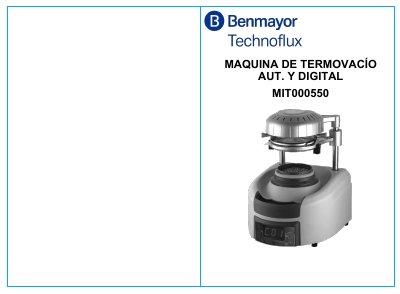
This document is the user guide for the MIT000550 automatic and digital thermoforming machine. The equipment forms various functional plastic diaphragms, is semi-automatic, and includes a built-in vacuum pump so users only need to connect power and start the hot-press molding function without an external gas source.
The manual describes the package contents, LED display and control buttons, operating process from power-on to formed-part removal, parameter setting for programs 1 through 20, extended heating time, and a troubleshooting table for errors such as E1 and E3. This manual is written in Spanish.
| Vacuum pump | Built-in |
|---|---|
| Programs | 1 to 20 |
| Heating time range | 0 to 500 seconds |
| Vacuum pump start delay | 40 seconds |
The package includes a user guide, certificate, power cord, sealing ring, diaphragm pack, two fuses, steel ball bag, and clamp.
Check the external power supply, check the fuse, and cut the power immediately if conditions are normal.
The user can choose between program 1 and 20.