
TCIV-2 TCIV-3 TCIV-6 COMPACT IP VIDEO STATIONS CONFIGURATION MANUAL
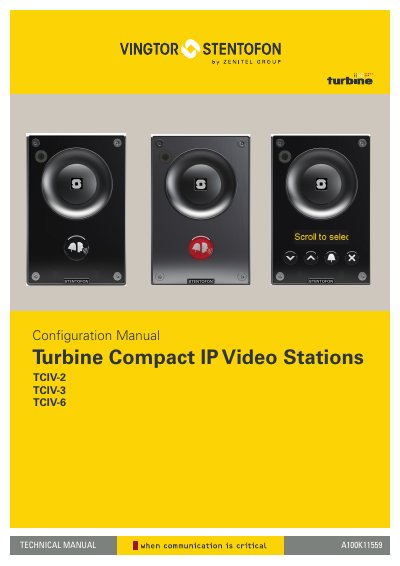
This configuration manual describes the setup procedure and configuration of the Turbine Compact IP Video station series, models TCIV-2, TCIV-3 and TCIV-6, for station firmware VSF-Turbine 4.7. The TCIV-2 has a stainless steel frontplate with a single call button, the TCIV-3 a thermoplastic frontplate with a single call button, and the TCIV-6 a thermoplastic frontplate with call and scrolling buttons and a PMOLED display.
The manual covers station connections and power supply, starting up the station via its embedded web interface, video settings, and configuration for AlphaCom, SIP and Pulse systems with terminals such as the ITSV-1 Video Phone, IP Desktop Station with Video Display, Cisco and Snom video phones and Bria softphone. It also describes the station indication LEDs, restoring factory defaults and the camera field of view.
| Ethernet | 10/100 Mbps RJ-45, PoE 802.3af |
|---|---|
| Secondary power | 24 VDC (16 – 48 V) from external adapter |
| Relay | Double Throw contact, max 250VAC/220VDC, 2A, 60W |
| I/O | 6 general purpose I/Os |
| Audio line out | Balanced 600 ohm with induction loop signal |
| Video codec | H.264 or MJPEG |
| Digital zoom range | 1.0 to 2.5 |
| Amplifier | 10W Class D |
The default user name is admin and the default password is alphaadmin.
It obtains an IP address from a DHCP server if one is available; otherwise an address in the range 169.254.x.x is assigned.
It supports Power over Ethernet (PoE, IEEE 802.3 a-f), or it can be connected to a 24 VDC local power supply when PoE is not available.
The video stream runs in one of two modes: MJPG in http or H.264 in RTP.