
This controller uses advanced MPPT technology to maximize the efficiency of solar panels. It also has a Web interface for users to configure and access device information. In addition, it supports the SNMP protocol, which can be monitored through mainstream management software on the market (such as The Dude, Zabbix, Nagios, PRTG, NetXMS, etc.).
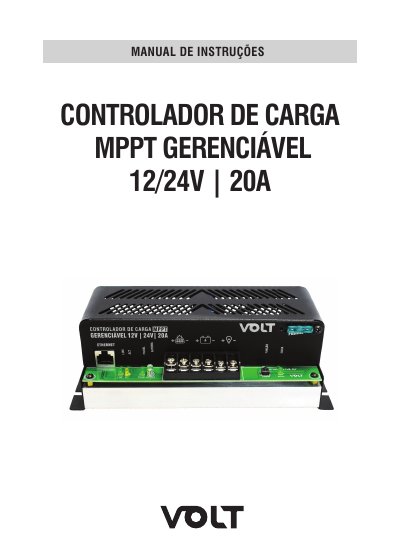
This manual describes the Volt Manageable MPPT Solar Charge Controller (12/24V, 20A), designed for off-grid photovoltaic systems. The controller uses maximum power point tracking (MPPT) technology to extract the maximum available power from the solar panel for battery charging, and automatically detects whether the battery bank is 12 or 24 Vdc. It can be monitored and configured through a web interface (compatible with HTML5 browsers) and via SNMP with management software such as The Dude, Zabbix, Nagios, PRTG and NetXMS.
The manual covers the controller's operation as the electrical center of the solar system, LED status indication, electronic protections, installation and wiring sequence (battery first, then load, then PV), the function button, battery association for 24 Vdc operation, and the web management interface including the dashboard, device status, network settings, restart and factory reset functions. This manual is written in Portuguese.
| System voltage | 12 or 24 Vdc, automatic detection |
|---|---|
| Maximum charge current | 20 A |
| Maximum PV open-circuit voltage | 50 Vdc |
| MPPT efficiency | greater than 99.5% |
| Operating temperature | 0 to 60 °C at full load |
| Management protocols | Web interface (HTML5) and SNMP |
| Default IP address | 192.168.0.34 |
| Default credentials | User: admin / Password: voltvolt |
Connect your computer to the same network range as the device and open the factory default IP address 192.168.0.34 in a browser. Log in with the username admin and the password voltvolt.
Pressing it once for 1 second changes the state of the output, and holding it for more than 10 seconds performs a physical reset of the controller.
Connect the battery first, then the load, then the PV array, paying attention to the + (red) and - (black) terminals, so the controller can recognize the system voltage.
Yes, for the 24 Vdc model the batteries must be associated in series to use the controller correctly.