
This is a manual for a serial to USB adapter. The adapter can be used to connect a serial device to a USB port. It supports Windows 2000/XP/Vista/W8, Linux or MAC 0S operating systems.
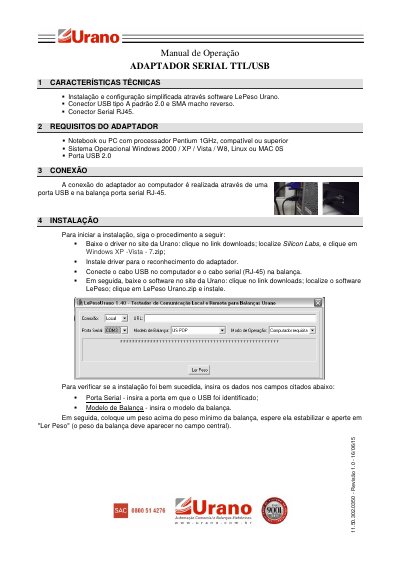
This document is the operation manual (Manual de Operação) for the Urano TTL/USB serial adapter, document code 11.50.302.0350, revision 1.0 dated 16/06/15. The adapter connects a Urano scale to a computer through a USB port, using a standard USB type A 2.0 connector, a reverse SMA male connector and a serial RJ45 connector for the scale.
The manual lists the adapter's technical features and the computer requirements, then explains how to connect the adapter, install the Silicon Labs driver downloaded from the Urano website, and install the LePeso Urano software. It also describes how to verify the installation by entering the serial port and scale model and reading a weight above the scale's minimum capacity. This manual is written in Portuguese.
| USB connector | USB type A standard 2.0 |
|---|---|
| Other connector | Reverse SMA male |
| Serial connector | RJ45 |
| Configuration software | LePeso Urano |
| Minimum PC processor | Pentium 1GHz or compatible |
| Supported operating systems | Windows 2000 / XP / Vista / W8, Linux or MAC OS |
| Required PC port | USB 2.0 port |
Connect the USB cable to the computer's USB port and the serial RJ-45 cable to the scale.
Download it from the Urano website: click the downloads link, locate Silicon Labs, and click Windows XP - Vista - 7 .zip.
Enter the serial port where the USB was identified and the scale model in the LePeso software, place a weight above the scale's minimum weight, wait for it to stabilize and press "Ler Peso"; the weight should appear in the central field.
Installation and configuration are done through the LePeso Urano software, also downloaded from the Urano website.