
The Philips In-Transit BLE Logger is a data logger that records data during transport. It has a green start button, a blue active LED, a red alarm LED, a USB port, and a QR code. It can be connected to a computer or smart device and generates a PDF report.
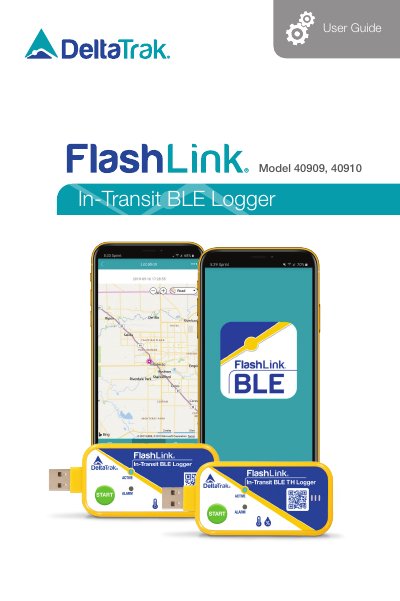
This user guide covers the DeltaTrak FlashLink In-Transit BLE Logger in models 40909 and 40910. It explains how a shipper starts the logger with the green START button and how the Active blue LED flashing once every 12 seconds shows that the logger is recording. Stopping the logger is done by connecting it to a USB port on a computer or a smart device with a USB adapter and Adobe Reader, which automatically stops the logger and generates a PDF trip report.
The guide then describes the BLE application for smart phones, including installing the app from the DeltaTrak link, connecting to a logger over Bluetooth 4.0 or greater by scanning a trip number bar code, using Bluetooth Connect or entering a serial number manually, and retrieving recorded data. The app reads the logger's data, displays temperature charts and data tables, and can share a PDF report by email or SMS without stopping the logger, so it keeps recording until the end of the trip.
| Models | 40909, 40910 |
|---|---|
| Required phone Bluetooth version | Bluetooth 4.0 or greater |
| Recording indicator | Active blue LED flashes once every 12 seconds |
| FCC ID | 2ATXY-40909 |
| FCC compliance | Part 15 of the FCC Rules |
| Technical support phone | +1-925-249-2250 Extension 5120; toll free 800-962-6776 (USA & Canada) |
Press and hold the green START button until the blue Active LED flashes, then the blue and red LEDs flash once together, and release the button. The Active blue LED then flashes once every 12 seconds while recording.
Connect the logger to a USB port on a computer, or to a smart device with a USB adapter and Adobe Reader. This automatically stops the logger and generates a PDF trip report.
No. A PDF trip report can be created with the app and it will not stop the logger, so it continues to monitor and record until the end of the trip.
The phone must have Bluetooth 4.0 or greater to communicate with the loggers.