
HM500 GENERATOR CONTROLLER DISPLAY PANEL USER MANUAL introduces how to use HM500 generator controller display panel.
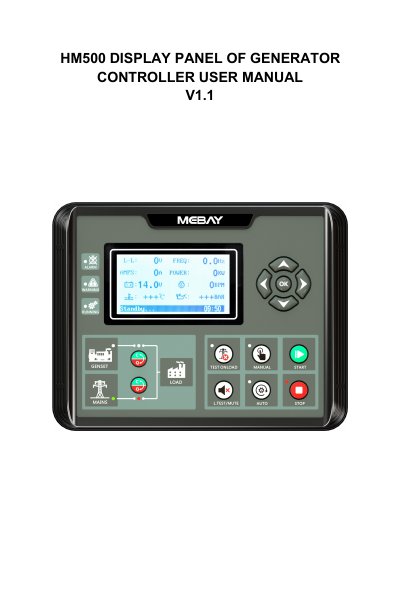
The HM500 is a display panel for generator controllers, mainly used with FM7000 series products and designed for display, starting, stopping, parameter monitoring, fault monitoring, and parameter setting. It uses a 3.5-inch 240 by 128 LCD with a new UI and can show failures directly.
The manual covers installation, terminal connections, key functions, warnings and shutdown alarms, parameter settings, and fault finding. The panel has an IP54 protection level when a waterproof rubber gasket is added and an overall dimension of 210 mm by 160 mm by 50 mm.
| Working voltage | FM7000 motherboard power supply |
|---|---|
| Power consumption | Working: 5V, MAX 0.5W |
| Working condition | -25 to 70 C |
| Storage condition | -40 to 80 C |
| Protection level | IP54 with waterproof rubber gasket |
| Insulation strength | AC 1.5 kV between high and low voltage terminals; leakage current not more than 3 mA within 1 min |
| Overall dimension | 210 mm x 160 mm x 50 mm |
| Panel cutout | W186 mm x H142 mm |
| Weight | 0.2 kg |
It is mainly used with FM7000 series products and can be split and replaced.
The panel cutout is W186 mm by H142 mm.
It can save 14 groups of alarm records.
Press OK and STOP simultaneously.