
This guide describes how to install and use the X5 Class A AIS transceiver.
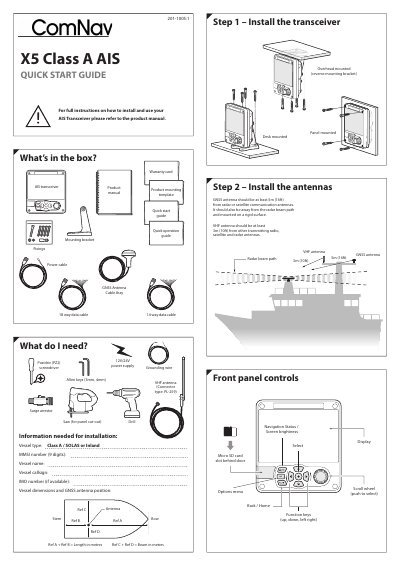
The X5 Class A AIS Quick Start Guide covers installation and initial setup of the X5 Class A AIS transceiver. It lists supplied accessories, required tools, and information needed before installation, such as vessel type, MMSI number, vessel name, callsign, IMO number, and vessel dimensions.
The guide describes mounting options, antenna separation requirements, wiring connections, and a quick start sequence for entering vessel identity and selecting operating mode. It also includes quick operation screens for messages, alarms, target lists, vessel data, dimensions, and voyage data settings.
| GNSS antenna separation | At least 5 m (16 ft) from radar or satellite communication antennas |
|---|---|
| VHF antenna separation | At least 3 m (10 ft) from other transmitting radio, satellite and radar antennas |
| VHF antenna connector | PL-259 |
| MMSI number | 9 digits |
| Default administrator password | 0000 |
It should be at least 5 m (16 ft) away.
It should be at least 3 m (10 ft) away.
The default administrator password is 0000.