
The M-CX-CHT-V1.4 capacitive proximity switch user manual introduces the use of the M-CX-CHT-V1.4 capacitive proximity switch, including installation instructions, operating instructions, learning settings, lock/unlock settings, detection settings, etc.
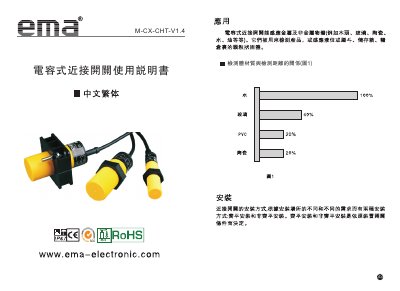
The M-CX-CHT-V1.4 is a capacitive proximity switch designed to detect materials and liquids, particularly those with a dielectric constant less than 20, such as oil. It features a sensing face, electrical connections, and LED indicators for status monitoring. The device supports both direct contact sensing and remote control methods using a white wire connected to the power source. This manual is written in Chinese.
The switch detects media through the container wall, but this only works with non-metallic containers such as plastic or glass.
The empty state must be set first, because the full state is set based on the empty state.
The medium must be more than 20mm away from the sensing face during the empty state adjustment.
The product is not recommended if the liquid level changes by less than 1mm per minute.