
This guide describes how to set up and run the Zenith Vector Drive (ZVD).
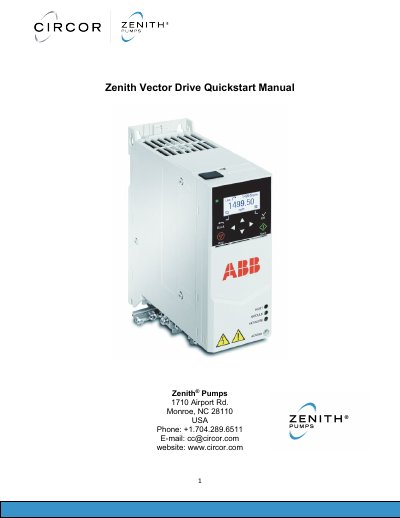
The Zenith Vector Drive (ZVD) Quickstart Manual is a short guide from Zenith Pumps (Circor) for getting a ZVD drive set up and running. It lists the related ABB ACS380 manuals to consult for safety, detailed installation, advanced programming and hardware or firmware information, and warns that only a qualified electrician should do electrical installation or maintenance work.
The steps cover connecting input power, the AC motor cable and the feedback signal cable, disconnecting the coupling from the pump, turning AC power on and using the control panel. Configuration is done through the First Start Assistant with motor nameplate values, or by manually editing parameters for encoder feedback, the reference speed and scaling the reference speed to pump rpm using a gearbox ratio.
| Input power, 230 VAC single phase | 200 ~ 240 VAC, 47 ~ 63 Hz |
|---|---|
| Input power, 230 VAC three phase | 200 ~ 240 VAC, 47 ~ 63 Hz |
| Input power, 460 VAC three phase | 380 ~ 480 VAC, 47 ~ 63 Hz |
| Input frequency | 47 ~ 63 Hz |
| Motor type | Asynchronous motor |
| Control mode | Vector |
| Motor thermostat connection | Thermostat wires P1 and P2 to ZVD terminals 10 and 11 |
The 230 VAC single- and three-phase models accept 200 ~ 240 VAC, and the 460 VAC three-phase model accepts 380 ~ 480 VAC, all at 47 ~ 63 Hz.
In the Complete list, open 92 Encoder 1 configuration, edit 92.10 Pulses/rev, enter the encoder pulses/rev value with the arrow keys and press Save.
Enter the total gearing ratio between the motor and pump shaft in 47.01 Data storage 1 real32, after setting up the speed reference selection parameters.
With the Home screen displayed and the green status LED blinking, pressing Start makes the ZVD perform a Standstill ID run; when the LED turns solid, the ID run is complete.