
This document is a manual for the FastGene® FAS-Digi PRO Gel Documentation System, manufactured by NIPPON Genetics EUROPE GmbH. The system uses a high-sensitivity CCD camera and a high-intensity LED light source to image and analyze gels.
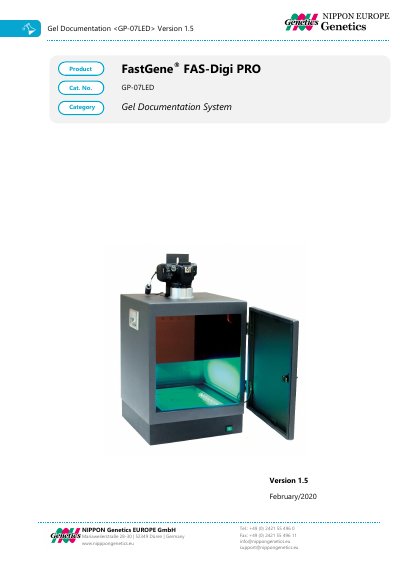
This is the user manual (version 1.5, February/2020) for the FastGene® FAS-Digi PRO gel documentation system, catalog number GP-07LED, published by NIPPON Genetics EUROPE GmbH. It opens with safety information, a regulatory notice, warranty terms and an important notice, followed by a specification table covering the camera, control, darkbox, illuminator and unit, and a nomenclature list of the supplied parts.
The manual then gives an installation guide for setting up the FAS-Digi PRO, including assembling the camera holder and connecting the cables and camera to a PC, followed by installation, operation and performance qualification. It ends with instructions for operating the system, excising DNA bands and taking images with a white light source, plus contact details.
| Camera type | Canon 250D, 24 MPixel (Resolution: 6000x4000), APS-C Sensor, DIGIC 8 Processor, WiFi enabled |
|---|---|
| Image sensor | APS-C sized CMOS sensor |
| Resolution / image size | 6000 x 4000 pixel |
| Aperture | F/4-5.6 |
| Lens | 18-55 mm zoom lens, manual |
| Exposure time | 0.00025 to 30 seconds |
| Control software | NIPPON Genetics Camera Studio, Windows OS 10 or higher |
| Saved image format | TIFF, JPEG |
| Illuminator | Built-in blue-green light source 470-520 nm |
| View area | 26 x 21 cm |
| Unit material | Painted aluminum metal |
| Rated voltage | 100-240 V~, 50/60 Hz |
| Dimensions (H x L x W) | 52 x 33.5 x 32.5 cm |
| Weight | 14 kg |
The system uses a Canon 250D camera with 24 MPixel resolution (6000 x 4000) and an APS-C sized CMOS sensor.
The instrument is warranted against defects in materials and workmanship for 1 year.
Attach the filter shield to the magnets inside the box, turn on the transilluminator, look through the filter shield and excise the DNA band using a scalpel or the FastGene® Agarose Gel Band Cutter (FG-830).
Add a white light source and remove the FastGene® amber filter from the lens before recording the image.