
This document is a user manual for the XCM8040SAT8 line scan camera. The camera has the following features:
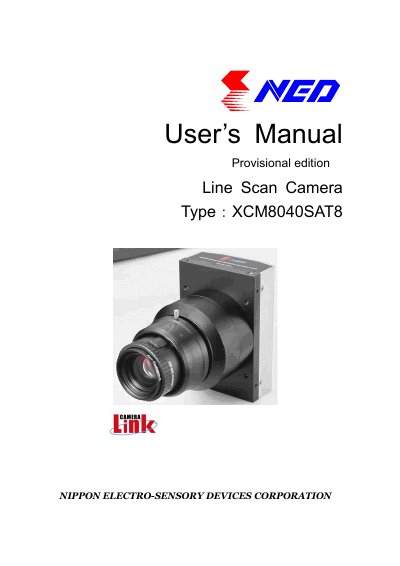
This is the provisional-edition User's Manual from Nippon Electro-Sensory Devices Corporation (NED) for the XCM8040SAT8 line scan camera. It begins with safety precautions, handling instructions and an exclusion clause, then gives the product outline, features and application examples, including PCB, glass, flat panel display and sheet inspection.
The manual covers camera setting and optical interface, hardware connection and pin assignments, power supply, and camera control by commands (gain, offset, exposure mode, output format, memory save and load, pixel correction, test pattern). It also describes checking camera settings, sensor handling and cleaning, troubleshooting, and the CLISBeeCtrl PC software with its install, control and parameter import/export functions.
| Number of Pixels | 8192 |
|---|---|
| Pixel Size (H x V) | 7 x 7 μm |
| Sensor Length | 57.344 mm |
| Spectral Responsivity | 400 - 1000 nm (peak: 625) |
| Data Rate | 320 MHz (40 x 8) |
| Maximum Scan Rate | 29.78 μs / 33.58 kHz |
| Saturation Exposure | 0.071 lx·s (typically) |
| Gain Adjustable Range | Analog x1 to x11.2 (21 steps); Digital x1 to x2 (512 steps) |
| Offset Adjustable Range | -15 to 15 DN (31 steps), 8 bit |
| Power Source | Single power source DC12V to 15 |
| Image Sensor | CMOS sensor with on-chip AD conversion |
| Interface | Camera Link |
The camera has 8192 pixels with a pixel size of 7 x 7 μm and a sensor length of 57.344 mm.
It operates from a single power source of DC12V to 15.
Use an air blower to remove dust particles, then dip a cotton swab into ethanol alcohol and clean the window, being careful not to scratch the glass.
Turn on the power supply and execute aging for ten to twenty minutes before actually using the camera unit.
The camera connects to a variety of frame grabber boards via a Camera Link interface.