
Milestone s.r.l. Via Fatebenefratelli, 1/5 24010 Sorisole (BG) Italy Tel. +39.035.412 8264 Fax +39.035.575498 Website www.milestonemed.com e-mail [email protected]
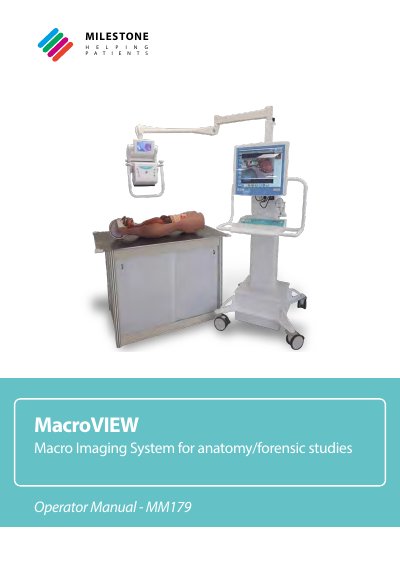
The MacroVIEW MM179 is a system designed to capture and store digital images, audio comments, and short videos of whole bodies, body parts, and organs examined at autopsy, grossing rooms, and forensic pathology. The system is intended for laboratory use by trained personnel such as laboratory technicians and pathologists. It features a PC with a 19" TFT LCD screen and a manipulator with a camera capable of up to 20 MPixels resolution and 12x optical zoom.
| CPU | Intel Core i7 Processor 2.6 GHz |
|---|---|
| RAM | 8GB DDR-4 |
| Hard disk | 500GB (SSD) |
| Screen | 19" TFT LCD 1280X1024 |
| Camera Resolution | up to 20 MPixels |
| Optical Zoom | 12x |
| Operating System | Windows 10 Enterprise 64 bit |
| Operating temperature | 15°C (59°F) – 30°C (86°F) |
The instrument is intended for laboratory use and must be operated by trained personnel, such as laboratory technicians and pathologists.
No, measurements obtained with MacroVIEW cannot be taken into account for diagnostic purposes and are purely indicative.
The system supports video capture in AVI format with a resolution of 4k and 60 frames per second.