
This document introduces the use of SONY E Lens Station.
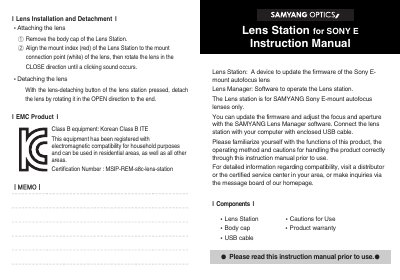
The Samyang Lens Station for Sony E is a USB device used to update firmware on Samyang Sony E-mount autofocus lenses and to adjust focus and aperture with the Samyang Lens Manager software. The manual explains the included components, lens installation and detachment, and how to download the Lens Manager.
It also lists cautions for use, EMC information, product specifications, and the name of each part. Compatibility is limited to Samyang autofocus lenses; the manual states that it does not work with Samyang manual focus lenses or other brands.
| Interface | USB2.0 |
|---|---|
| Power | USB Bus Power (5.0V 5%) |
| Current consumption | 500mA (Max.) |
| Size | 66.0mm x 25mm(H) |
| Weight | 54.5g (excluding the cap) |
| Operating environment | Temperature 0°C ~ 40°C; Humidity 30~70% (No condensation) |
| System requirements | Windows 7 or higher, Mac OS 10.9 ~ 10.12 |
| Compatible lenses | Samyang Sony E-mount autofocus lenses only |
It is used to update firmware and adjust focus and aperture on Samyang Sony E-mount autofocus lenses with the Lens Manager software.
Download the Samyang Lens Manager from www.samyanglensglobal.com.
Windows 7 or higher and Mac OS 10.9 to 10.12 are supported.
No, other mount types cannot be connected to the lens station with a mount adaptor.