
X-02 liquid crystal digital intelligent fresh air controller can choose manual control or timing control fresh air machine operation, controller output signal directly control fresh air machine start and speed, can be widely used in residential, commercial and industrial occasions, and can effectively improve air quality, create a healthy, comfortable, efficient, environmental protection, energy saving living and working environment.
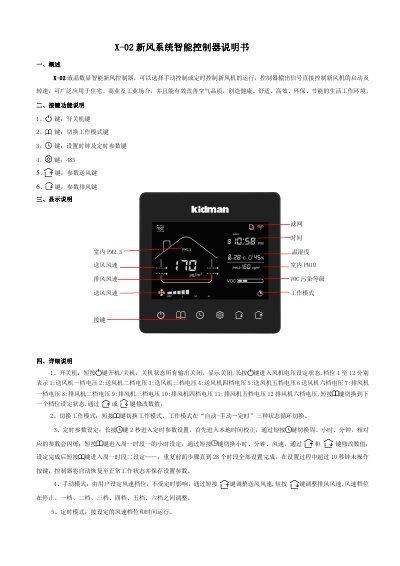
The X-02 Fresh Air System Intelligent Controller is an LCD digital controller that starts and adjusts fresh air fans manually or by timer. It is used in residential, commercial, and industrial settings to improve air quality.
The controller supports six fan speed levels, PM2.5 monitoring, filter life settings from 720 to 2999 hours, RS485 Modbus RTU communication, and Wi-Fi setup through the Tuya app. It installs with 60 mm standard hole spacing and runs on AC220V 50Hz power. This manual is written in Chinese.
| Dimensions | 86×86×40mm |
|---|---|
| Rated voltage | AC220V 50Hz |
| Operating temperature | -10℃ to +50℃ |
| Standby power consumption | ≤2.0W |
| Control power | ≤200W |
| Output interface | Two-channel PWM |
Short press the mode key to cycle through automatic, manual, and timing modes.
The filter maximum running time can be set from 720 to 2999 hours, with a factory default of 2000 hours.
Scan the QR code to download the Tuya app, register and log in, then long press the key for 5 seconds to enter network configuration mode and add the device in the app.